
How to Register on Services SETA (Learner & Employer Guide for 2026)
Introduction: Why Services SETA Registration Matters
If you’re serious about accessing learnerships, internships, or skills development opportunities in South Africa, registering with the Services SETA is one of the most important steps you can take.
Whether you’re a job seeker (learner) or an employer, registration allows you to connect with funded training programmes, workplace opportunities, and grants that can support career growth or business development.
This guide breaks down exactly how to register—step by step.
Services SETA Registration Guide (Learners & Employers)
What is Services SETA?
The Services SETA is one of South Africa’s Sector Education and Training Authorities responsible for developing skills in industries such as:
- Business administration
- Cleaning and facilities services
- Marketing and communication
- Labour recruitment and HR services
It plays a key role in funding and managing learnerships and training programmes.
Who Needs to Register?
Learners (Job Seekers)
If you want to apply for:
- Learnerships
- Internships
- Skills programmes
You must register on the Learner Portal.
Employers
If you want to:
- Access SETA grants
- Submit Workplace Skills Plans (WSP)
- Train employees
You must register on the LMIS system.
Skills Development Providers (SDPs)
Training providers must:
Educational and Careers links below:
- SETA Stipend Explained 2026: Who Qualifies and How to Secure Paid Learnership Opportunities
- How to Register on Services SETA (Learner & Employer Guide for 2026)
- Services SETA Learner Portal: How to Register for Learnership Opportunities in South Africa
- Apply for accreditation
- Register to offer SETA-aligned courses
H2: How to Register as a Learner (Step-by-Step)
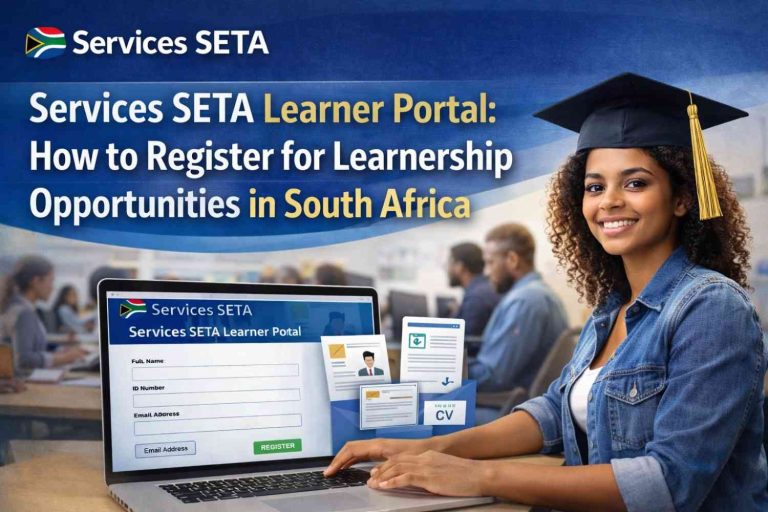
Step 1: Visit the Learner Portal
Go to the official Services SETA learner registration page.
Step 2: Create Your Account
You will need:
- South African ID number
- Personal email address
- Secure password
Make sure your email is active—you will receive confirmation details.
Step 3: Complete Your Profile
Fill in all required details:
- Personal information
- Education history
- Contact details
This helps recruiters match you with opportunities.
Step 4: Upload Supporting Documents
Prepare and upload:
- Certified ID copy
- Matric certificate or latest qualification
- Updated CV
Ensure documents are clear and certified.
Step 5: Submit Registration
Once completed:
- Submit your profile
- Wait for confirmation
- Start applying for learnerships
Step 6: Apply for Opportunities
After registering, you can:
- Search for available learnerships
- Apply directly through the portal
- Receive updates on new programmes
H2: How to Register as an Employer (LMIS System)
Step 1: Access the LMIS System
Employers must register through the Learning Management Information System (LMIS).
Step 2: Link Your SDL Number
You will need:
- SDL (Skills Development Levy) number
- Company registration details
Step 3: Assign a Skills Development Facilitator (SDF)
An SDF is responsible for:
- Managing training plans
- Submitting reports
- Coordinating skills development
Step 4: Submit Workplace Skills Plan (WSP)
Employers must submit:
- Annual WSP
- Training reports
This allows access to SETA grants.
Step 5: Access Grants and Training Support
Once registered, employers can:
- Apply for mandatory and discretionary grants
- Participate in learnership programmes
- Support employee training
H2: Skills Development Provider (SDP) Registration
Training providers must:
- Apply for accreditation with Services SETA
- Align programmes with occupational qualifications
- Meet quality assurance standards
This allows them to legally offer SETA-funded training.
Key Requirements for Learner Registration
To register successfully, make sure you have:
- Valid South African ID
- Active email address
- Updated CV
- Certified qualifications
Common Mistakes to Avoid
Before submitting your registration, check the following:
- Incorrect email address
- Uncertified or unclear documents
- Incomplete profile information
- Forgotten login details
These small errors can delay your application or reduce your chances of being selected.
Important Services SETA Links
You will need access to:
- Official Services SETA website
- Learner Registration Portal
- LMIS System (for employers)
- SDF/Company registration guide
- Stipend FAQs

Need Help?
If you experience technical issues during registration, you can contact:
📧 ApplicationSupport@serviceseta.org.za
Why Registration is Important
Registering on Services SETA helps you:
- Access funded learnerships and internships
- Improve your chances of employment
- Gain recognised qualifications
- Build workplace experience
For employers, it unlocks funding and structured training opportunities.
Final Thoughts
Registering on the Services SETA is a simple but powerful step toward building your future.
Whether you are a learner looking for opportunities or an employer aiming to develop skills, the system is designed to support growth and employment.
Take a few minutes to register, upload your documents, and start exploring opportunities today.